

Archive for the ‘Software’ Category

31 Jul 2007

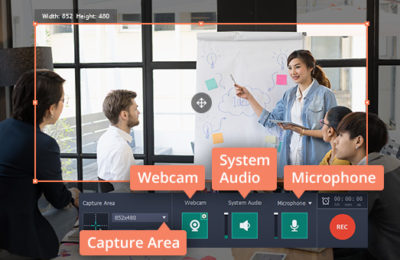
Make a Screencast Videos On a Mac

Learn how to create a screencast software demos and web tours using a Mac. Watch the video below:
Read the rest of this entry »

Read full article. Published on July 31, 2007.
17 Jul 2007

Real Estate Mobile Technology service review

I was thinking to day about new methods of advertising about my business and at that same time I got a message from my friend on my cell phone about some thing. An idea came to my mind, why not advertise thru mobile phones and people will get all the information about my business easily and read it when they have time. Earlier I use to distribute pamphlets which were not of much success as people use to throw it or use it for other purposes. It was expensive too. Now to go ahead with my idea of text messaging, I started looking for someone who can provide the service and soon I came to know about House4Cell , they had all the facility like Cellit Mobile Marketing etc and I was delighted that now I can start promoting my business in a new way. Getting started was very easy as they understood what exactly I needed and also told me that they also have CouponZap. Now this was very nice as my business is also related to real estate. After few days of using it, I found good response from my clients and interesting news was that verizon phones owners were also receiving pictures with the messages which were great as pictures often say more than words.

Read full article. Published on July 17, 2007.
13 Jul 2007

Iceberg On Demand

IcebergOnDemand.comIceberg On Demand! yes Iceberg allows non technical users to create enterprise applications in hours without the need of code. With this you can built, share and sell your powerfull bussiness applications and it come with several powerful free applications for HR, CRM, Project Management, Rostering, Bug Tracking and more.. Amother thing is that it supports firefox and IE(Internet Explorer). You can also install it on your own internal network. You can also track who changes or even views key objects within applications. cool na :) It is easy share and pass data between your applications within a process. And any process can be called from within another process allowing for easy encapsulation of re-usable business logic. One of the finest thing is Easy to use bug tracker for software development. Roles control who may do what do each bug during its lifecycle based on business rules, only QA may close a bug etc.
Watch the video below:
Read the rest of this entry »

Read full article. Published on July 13, 2007.
10 Jul 2007

Think you know security?

So you think you are secure from online threats just by using a good antivirus? Think again, a good antivirus will protect you from virus, Trojans etc but what about those hackers who are just looking for important data on your computer, you need a good firewall to prevent them from accessing your system. However if you feel you still know more about these stuff, why not take a Security Quiz and check yourself? It’s a nice and small online quiz which will test your knowledge on online security.
Because of small loopholes in operating system, almost every system connected to internet is open for those hackers and if no security software is installed, it become very easy for most of them to hack it and it may even cause you a major loss. There are many security applications available and worldwide used but still systems are do getting hacked! It’s because these software can never get perfect and hackers do find some loop hole in those software too and the system security get compromised. Good firewalls like Outpost by agnitum are updated regularly so that those small holes get filled as soon as they are discovered and your system remains protected. If you have still not done that Security Quiz , do it now and post your result in your comments.

Read full article. Published on July 10, 2007.
3 Jul 2007

Vista Upgrade or not?

Microsoft Vista has some great enhancements and features. After all, it’s been a project in the making for several years. Of course with any new operating system release from Microsoft, there is always a warming period, or a certain amount of time that need to pass to allow the operating system to mature, and to get the bugs out so to speak. At that point, there are a number of patches and security fixes that are released in a service pack. Essentially a collection of these patches and fixes, all rolled up into one big download.

Usually, this warming period takes about a 6 months to a year, however with so many early adopters of the newest flagship software from Microsoft, that timeframe is quickly shortened.

Nowadays,. We can expect 3 – 6 months for the major bugs to be released. Patches are released almost every week by Microsoft. These are based on their risk severity, the potential for damage to your operating system, and security risks to your information or your personal data. Tell us something we don’t know. All of us are – or should be used to these patches. Way back from Windows 95, we’ve been downloading patches upon patches. Eventually our original files and operating system are just that – a collection of fixes and patches. Some say that Windows 98 to Windows 98 SE and even to Windows Millennium is just a patched Windows 95. The core of the operating system has not changed, the look and feel neither. Just more features and add-ons.

Vista on the other hand has been touted as a major change to the Windows Operating system. For fear of getting too technical, I’ll stay away from the geek-speak details. The point, with new software, you need new hardware. You did purchase a new computer for Vista didn’t you?

If you upgrade to Vista from your existing Windows version, you will almost certainly notice a decrease in performance. Before you upgrade, you should check the Vista Upgrade Advisor. The upgrade advisor is a free tool that will analyze your current computer and advise on what version of Vista your computer will support.

Vista has the Windows Experience Index which details which version of Vista is best suited to your pc. The lowest score will be a Windows Experience Index of 1. This is definitely not worth the upgrade. You should consider more memory and a better video card to say the least.

Read full article. Published on July 3, 2007.
28 Jun 2007

Get your email in phone,sms,fax,pager,blackberry & more…..

eNotifyMe.comYou must be having email ids of your own, in many cases multiple emails id’s each one assigned for different purpose, like one for work and other for personal mails. I recommend you one more to make and this one should be for those sites which ask for email id for registration to avoid any inconvenience of spamming. According to this an average person may have up to three email ids for his daily work. Now imagine how much extra work he has to do just to make sure he gets every mail on time and a computer freak like me who wants his email in real time! I found a solution to this problem and it’s enotifyme; a service which not only alerts you as soon as you have got a mail but also forward it to your cell phone as text message or voice message. If you don’t have call phone no worries, you can also receive mail on home phones, fax machines, pagers and PDA’s etc. This is fantastic as now you will never miss any mail and know what they say as soon as they are sent to you. Many people are already using enotifyme service and have found of great help, they are getting the benefit, why not you? At just 4.95$ per month, this simple to use powerful service is sure a good deal.

Read full article. Published on June 28, 2007.
25 Jun 2007

May Vista be with you!

Windows in all it’s versions eventually will die. The lifecycle of an operating system is designed that way. Just as the computer industry forces you to upgrade and update, so do the software manufacturers. The rumor is that Windows XP will not be supported by Microsoft by the end of this year. These are unsubstantiated, but nevertheless, the outcome is inevitable.  This is nothing new. Windows 95, 98, 2000 and XP all have a lifespan of about 5 years from release to retirement.  Some however, like Windows Millennium had even less of a  lifespan. WinME is like the ugly duckling of Microsoft Operating Systems. Sweep it under the carpet and forget about it.

What does the term unsupported really mean? Well, it means that Microsoft will no longer release patches and fixes, nor support the product (for free) via their technical support lines, websites, and forums. You will be able to purchase support, and will of course be able to use 3rd party services for support. Bottom line, if you have a problem with a driver, or a software conflict, you’re on your own to resolve it. There may be some exceptions to patches being released – if there are major security issues or events that warrant a patch. Microsoft of course will make those determinations on a case by case basis.

Negative press of course also helps, and the power of the public can definitely have an impact.  Social networking sites like digg, reddit, technorati, and del.icio.us allow the general public to submit and vote on popular links, and of course vote on the unpopular ones as well. This feedback is often noted by traditional press, and of course the manufacturers as well. It never hurts to visit these sites to also learn about potential computer and technology issues that may soon effect you. A proactive approach never hurts. You’ll be ready for when Darth Vader uses that familiar force gesture with his hand, and says “You will upgrade to Vista… now.

Read full article. Published on June 25, 2007.
22 Jun 2007

All things Ipod!

The ipod has quickly transformed itself into a household word, such as Duracell, Kleenex, the walkman, qtips, and coke. These are not the actual names of the product, but rather the brand name. Brand recognition is what every company aspires to achieve. Apple, once again has succeeded in a best way possible. The ipod is the defacto portable audio device to own.

Your ipod can be used as a portable hard drive with this tip, you can put an operating system on it with mojopac, and of course there are many software packages to organize your playlists, update your album art, and synch your music.

Now you can use the power of the internet to enhance your ipod. Several new services have launched on the internet in the fashion of web 2.0 products and services. All of them geared towards integrating your musical tastes into the internet, and you daily lives. Share your playlists, or download someone else’s; check out what others are listening to, or discover new music. These are some of the newest websites and services. This list below is worth a… listen!

Mobunga – Your Guide to Video Downloads for iPod, PSP, and Mobile Phones
Mobunga is a community-driven site designed to help video fans find the best mobile video content that’s available on the Web. Most people have mobile, active lives, and they shouldn’t be forced to restrict their videos to the desktop.

Grooveshary – Discover New Music
Grooveshark is an online service that rewards you for sharing, reviewing, and discovering new music. Get rewarded for sharing your songs and music, Keep all of your current songs and import your own playlists, Discover music and receive personalized recommendations, Sync your library with any player from iPods to iRivers.

UplaymePlay Music. Meet People. Discover New Songs.
A Simple way to meet people and find new music just by playing songs on your computer and your iPod. Download the software and uPlayMe finds people who are playing the same music and shows you what they’re listening to. You can chat with them, visit their pages on other sites like MySpace, or just find new music to listen to.

AudiozueShow the World what’s got you Grooving
With audiozue you get real-time iTunes satistics posted to your MySpace, Blog or Website. Show you friends what you’re listening to. audiozue have a great selection of soundtrack templates for your blog or website. One click sends your friends to the iTunes Music Store where they can preview and download songs from your soundtrack.

FedafiMake RSS and Podcasting Easy
Fedafi makes RSS and iTunes valid podcast feeds easy. It’s an application that anyone can install on their own website and use to generate valid RSS and iTunes Podcast feeds. No technical knowledge needed, no XML to learn, absolutely everyone can now use RSS for their business. Add RSS as a marketing channel to your business today.

Sonicswap  - Share Playlists with Thousands of your Closest Friends
SonicSwap offers music playlist sharing built around social networking and collection analysis. Patent pending search technology returns playlists based on your ability to play them. Members run a software accessory called BOINK in parallel with iTunes to connect with friends through music.

jiwamusicCreate and Share Playlists
JiwaMusic is a new experiment that allows its users to search for an artist or a track; load a track originally composed by them on the JiwaMusic servers, Create some playlists and share their playlists.

TwonesShare your Playlist
Twones is the the ultimate way to make friends and find music. Sync your iTunes and iPod library with Twones and discover new music and friends. share your playlist & share your identity.

FiqlPlaylist Sharing Community
Playlists are everywhere – on the radio, in magazines, on message boards and blogs and most importantly in your music collection. As storage increases and the limits of the single album are long left behind, it’s becoming harder and harder to manage music… and that’s why why fiql was created . More than just a repository of playlists of all kinds, FIQL is a place to be introduced to new music by looking at other people’s playlists and to share with others your playlist and music interests.

webjayPlaylist Community
WebJay allows users to publish their music playlists on the web.

Read full article. Published on June 22, 2007.